/* Css En-Bref */
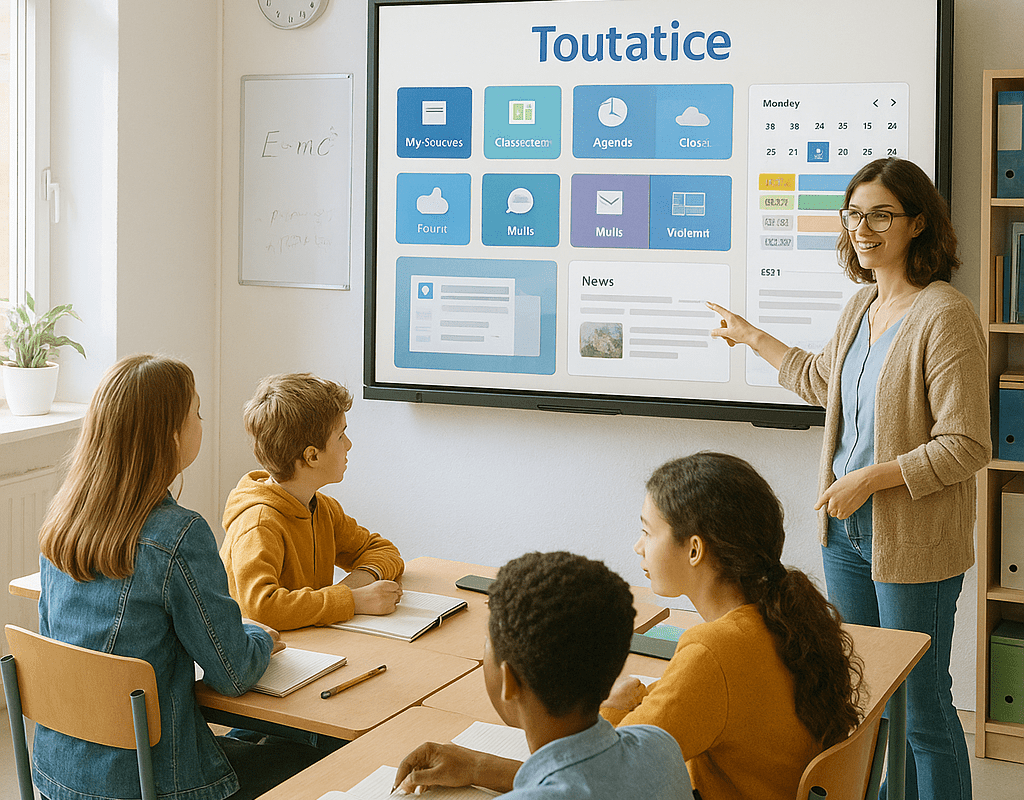
In a context where the ENT Toutatice takes a central place in school organization, finding varied educational uses can sometimes be a challenge. Beyond simple document sharing, this platform offers a fertile ground for experimentation: real-time collaborative work, multimedia creations, differentiated assessments… in short, a true toolbox to renew one’s practice. Through 50 ideas divided into five themes, this guide offers concrete and adaptable avenues, whether you are a novice or experienced. Some will also see an echo to a recent ENT comparison, as the optimal use of each platform makes a difference in student engagement.
Sommaire
1. Organize real-time collaborative work
The synchronous dimension of Toutatice allows orchestrating collective actions without location constraints. By adopting a shared space, the whole group is engaged in the same momentum, fostering mutual aid and co-construction.
- Joint drafting of a monitoring article: each student completes a paragraph via the integrated text editor.
- Instant cartography: collective creation of a mind map to structure a chapter.
- Peer correction: pairs of students annotate their peers’ work live.
- Virtual brainstorming: use of the whiteboard to gather ideas on a study topic.
- Debate simulation: each group intervenes in turn via an instant forum.
- Collaborative quiz creation: quiz developed by multiple hands to test understanding.
- Writing a serialized novel: each week, a pair adds a chapter.
- Design of visual supports: photo retouching or video editing collaboratively.
- Consultation for a civic project: survey and collective decision organized online.
- Shared documentary monitoring: everyone notes their sources and comments on others’.
Each activity relies on a modular group structure: the rights settings in Toutatice ensure that students and teachers have a space adapted to their needs.
2. Stimulating Digital Creativity
Highlighting the multimedia aspect means addressing students’ need for expression through varied formats. The following activities offer opportunities to explore the visual and sound universe while strengthening the mastery of digital skills.
- Class podcast: recording debates or presentations, editing, and broadcasting.
- Digital storytelling: creating interactive stories with hyperlinks.
- Collaborative fanzine: collective layout of a thematic magazine.
- Stop-motion: creating a short frame-by-frame animation.
- Synthesis infographic: graphic representation of a complex concept.
- Bilingual podcast: language project with interviews and translation.
- Educational music video: composing and recording a piece on a study theme.
- Photo report: exploring the neighborhood and creating a photo journal.
- Thematic webradio: program hosted by students around a societal topic.
- Virtual gallery: digital exhibition of created works.
3. Innovating in Formative Assessment
Breaking away from the traditional in-class correction also means creating moments where each student receives personalized, quick, and motivating feedback. The suggestions below make use of self- and co-constructed assessments.
- Quiz with immediate feedback: at the end of a module, interactive quiz with commented solutions.
- Guided peer review: criteria sheet for cross-evaluation of written productions.
- Digital portfolio: collection of work on the student’s personal space.
- Skill badges: visual attribution of validated skills.
- Daily micro-assessments: quick survey to gauge daily understanding.
- Reflective logbook: online notebook with teacher comments.
- Virtual escape game: series of puzzles to solve to validate learning.
- Argumented survey: each answer must be justified, then analyzed in a group.
- Video feedback capsules: the student creates a video to explain their choices.
- Dynamic progress chart: graphical representation of grade evolution.
4. Highlighting the Publication of Students’ Work
Giving visibility to achievements creates a sense of pride and engagement. When productions circulate beyond the classroom, they become a real motivation lever.
- Class blog: integrated platform to publish articles and illustrations.
- Guest podcast: recording discussions with external speakers.
- Collaborative webzine: monthly selection of the best works.
- Thematic newsletter: periodic dissemination of class news.
- Inter-class consultation: sharing projects with other institutions.
- Educational social network: mini-forum to highlight successes.
- Digital posters: creation and sharing of large-format infographics.
- Field video report: interviews and footage of outdoor projects.
- Interactive map: geolocation of discoveries or local projects.
- Online contest: creative challenge open to all learners in the institution.
5. Encouraging Discovery through Interdisciplinary Projects
Cross-disciplinary projects stimulate curiosity and show coherence between subjects. They provide a framework for teamwork and mobilize several skills simultaneously.
- Scientific journal: collaboration between science and French to report an experiment.
- Virtual festival: organizing an online cultural event (music, video, texts).
- Educational garden project: mapping, biology, mathematics, and foreign languages networked together.
- Art exhibition: art history and visual arts for a virtual gallery.
- Start-up simulation: integrated economics, marketing, technology, and communication.
- Sound literary corpus: recording and editing multi-voice readings.
- Fictitious humanitarian project: geography, mathematics, and languages to build an action plan.
- Historical multimedia file: archives, video editing, and interactive mapping.
- Multidisciplinary escape game: puzzles mixing mathematical logic and general culture.
- Environmental challenge: field report, statistics, and oral advocacy.
FAQ
Which Toutatice tools are essential to get started?
The digital notebook and collaborative spaces are simple entry points. Gradually, forums, blogs, and multimedia modules are added according to pedagogical objectives.
How to effectively assess group activities on Toutatice?
By combining quizzes with automatic feedback and shared analysis grids, one obtains both a quantitative and qualitative view of each participant’s contributions.
Can parents be involved in certain projects?
Yes, through consulting the class blog or automatically sending newsletters configured for families, a useful link between school and home is created.
{
“@context”: “https://schema.org”,
“@type”: “WebPage”,
“about”: {
“@type”: “Thing”,
“name”: “Educational activities on Toutatice”
},
“keywords”: [“Toutatice”, “educational activities”, “ENT”, “digital teaching”, “collaboration”]
}