Sommaire
Key Points in 1 Minute
- Crypto-native experience: biometric signatures via hardware Seed Vault.
- Unified identity
.skr(Seeker ID) + Genesis Token for perks/access. - dApp Store 2.0: mobile-first ecosystem (payments, DeFi, NFT, gaming, AI/DePIN).
- Pragmatic hardware: enough for UI and dApps, less for “pro” photo/3D.
- Airdrops/perks: not guaranteed, linked to real usage and official campaigns.
- Ideal if you sign often; limited interest if crypto use is occasional.
For whom?
The Solana Seeker does not try to beat the best camera phones nor the most powerful flagships. Its ambition lies elsewhere: reducing friction in on-chain usage—payments, DeFi, NFT, gaming—through deep integration on both hardware and software sides. If you sign transactions at least weekly, the Seeker makes sense: biometrics trigger signatures in a dedicated hardware vault, .skr identities simplify logins, and the dApp Store 2.0 gathers the essential applications.
Profile 1
Regular Solana user (payments, DeFi, NFT)
Profile 2
Web3 builder/entrepreneur (tests, demos, clients)
Profile 3
On-chain gamer (frequent signatures, micro-actions)
Conversely, if your usage is limited to occasional—one swap every two months, one NFT purchase out of curiosity—you won’t get the full value of the Seeker. A classic smartphone remains relevant for generalist uses (photo, professional video, demanding 3D games). The Seeker’s value is mainly appreciated in frequency: the less you sign, the less visible the difference; the more you sign, the more obvious the comfort becomes.
For a detailed ultimate guide (tests, reviews, features, airdrops, comparisons), see this reference article.
Key Features
Seed Vault: hardware signatures, zero copy-paste
The Seed Vault is an isolated hardware space that generates and signs without exposing the seed to Android. In use, it offers the fluidity of a mobile payment: a biometric confirmation replaces entering a password or copying and pasting a key. For repetitive operations (payments, approvals, minting/listing NFTs), this automation avoids human errors and speeds up decision-making.
Seeker ID: readable identities in .skr
Seeker ID groups address, .skr identifier, and Genesis Token. dApp logins become clearer; for developers, it enables better targeting of authenticated journeys (anti-sybil), opening the door to exclusive experiences.
dApp Store 2.0: mobile-first ecosystem
The dApp Store 2.0 gathers payment, DeFi, NFT, gaming, and AI/DePIN service applications. The goal: direct access, without “hacking” extensions, and campaigns highlighted to stimulate real usage.
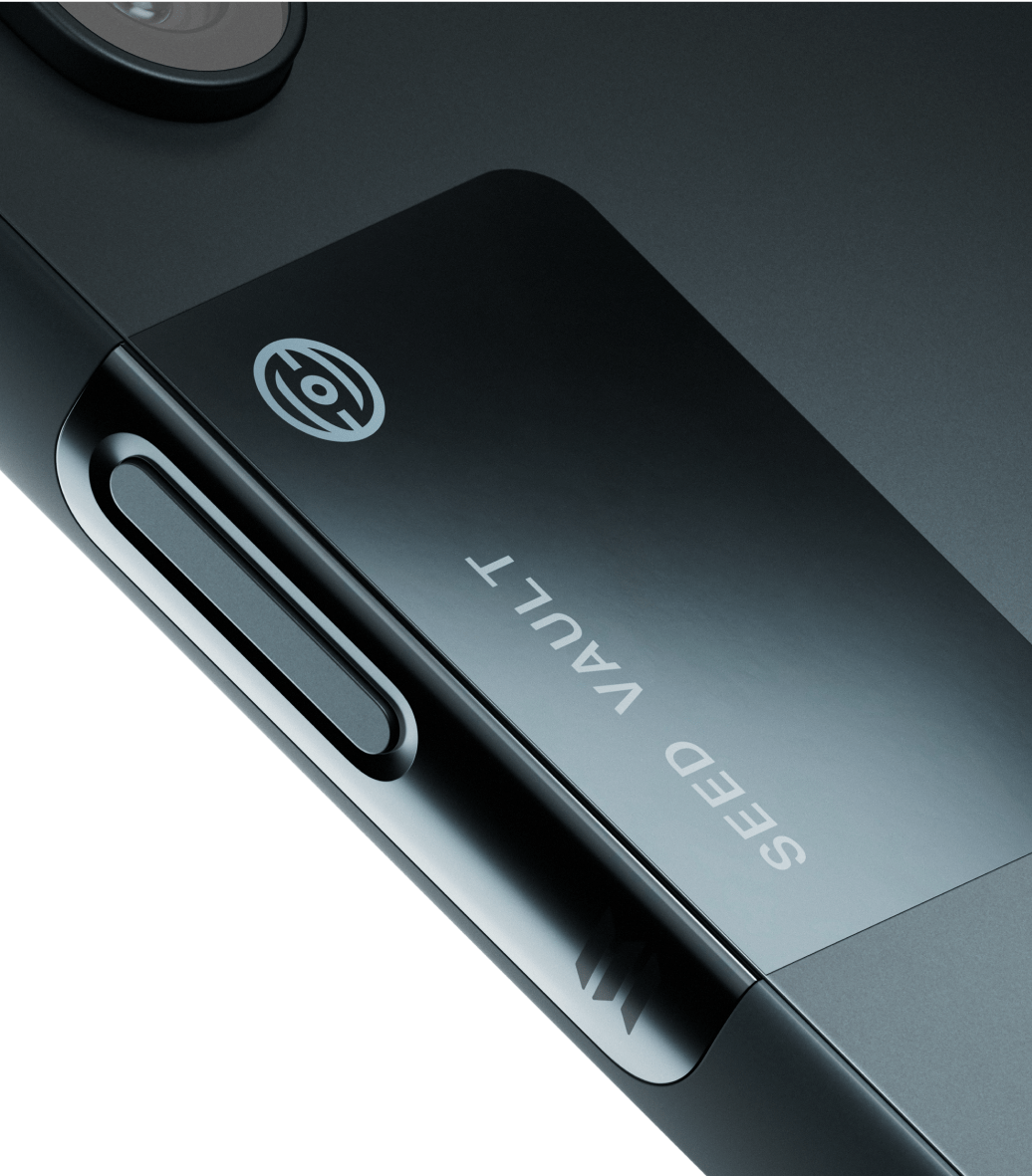
Regarding ergonomics, the interest is twofold: on one hand, fewer manipulations, on the other hand, less doubt. The time saved on each transaction ends up counting on a very connected day.
What YouTube tests say
Recent reviews highlight a more compact and manageable format than the Saga, a smooth 120 Hz screen, and finally a coherent on-chain experience: Seed Vault + Seeker ID reduce friction to the point that signatures become almost “invisible.” On the performance side, the Dimensity 7300 SoC proves sufficient for the UI, dApps, and common multimedia, while remaining behind ultra-premium chips. The photo quality is adequate for social use, less spectacular than the 2025 leaders; in return, battery life improves and the pricing positioning seems more reasonable.
On YouTube, several reviewers emphasize that adoption is not just a matter of specs. What Seeker succeeds in is assembling blocks (secure hardware, identity, store) under a coherent interface. Some also note that, compared to the Saga, battery life and handling improve, which facilitates use as a primary phone.
Limits to know
What we like
- Biometric hardware signatures: simplicity and peace of mind.
.skridentities: clearer connections, less sybil.- dApp Store 2.0: mobile-first journey and exclusives.
- Format/weight: more manageable than the Saga, good battery life.
To watch
- SoC not “ultra-premium”: heavy 3D games require configuration.
- Photo/video: solid quality but below the leaders.
- Interest mainly for regular Solana users.
If you come from a recent high-end iPhone or Android, you will not find a general “boost” in performance. The interest lies elsewhere: a reduction of crypto friction and a better default security hygiene. The choice therefore depends on your hierarchy of needs: photo/video and raw power, or on-chain ergonomics and hardware signatures.
Quick comparison
| Criterion | Seeker | Saga | Flagship 2025 |
|---|---|---|---|
| Crypto experience | Seed Vault + Seeker ID + dApp Store 2.0 | First iteration | Third-party wallets (without deep integration) |
| Ergonomics | Compact format, 120 Hz | Bulkier | Variable depending on models |
| Performance | Dimensity 7300: sufficient | Snapdragon 2022: adequate | Very high (latest gen.) |
| Photo | 108 MP + UGA + telephoto | Solid | Reference (sensors/AI) |
| Interest if rare crypto | Limited | Limited | Strong (versatile use) |
Quick read: if crypto is at the heart of your daily life, Seeker surpasses most flagships in on-chain ease of use; if it is secondary, flagships retain the advantage in versatility/photo/video. The Saga remains interesting for the curious at a low price, but Seeker wins in ergonomics and ecosystem.
Airdrops, Genesis Token & SKR
Upon activation, each Seeker issues a Genesis Token (soulbound). It is a key to experiences and perks within the ecosystem, often conditioned on actual use and device attestation. The future SKR token aims to reward users and developers, streamline value distribution, and drive platform governance. However, beware: airdrops are never guaranteed, vary by region and campaign, and require reading each condition carefully.
Advice: create/activate your Seeker ID, mint the Genesis Token as soon as onboarding, and follow official announcements (website + X). Use listed dApps and always check the conditions of each campaign.
Verdict
The Solana Seeker clearly targets daily on-chain uses. It simplifies signatures, clarifies identity, and brings the ecosystem together in a mobile-first approach, whereas generalist smartphones still rely on third-party wallets. If your priority is “practical” crypto—paying, investing, minting, gaming—the Seeker offers a net gain in time, perceived security, and comfort. If your crypto uses are rare or if you primarily want a camera phone or a performance beast, a flagship will remain more relevant.
Quick FAQ
Does Seeker replace a hardware wallet?
It includes a hardware vault (Seed Vault) that signs on the hardware side. For large amounts over the long term, many will keep a dedicated external hardware wallet.
Can other blockchains be used?
The deep integration targets Solana. Multi-chain wallets exist on Android, but without the “native” ergonomics offered here.
Specifications at a glance
| Screen | AMOLED 6.36″, 120 Hz |
|---|---|
| SoC | MediaTek Dimensity 7300 |
| Memory/storage | 8 GB / 128 GB |
| Battery | 4500 mAh, wired + wireless charging |
| Camera | 108 MP + 13 MP UGA + 50 MP telephoto; 32 MP front |
| OS | Android 15 + Solana Mobile integrations |